Write Smarter.
Think Faster.
A writing environment for professionals who write a lot. Give AI agents like Claude Code, Gemini CLI, or Codex direct access to your files.
macOS now · Windows coming
Your AI can't see your files.
ChatGPT doesn't know your project. Copilot doesn't understand your context. You're stuck copy-pasting between apps, losing your train of thought with every switch.
No file access
ChatGPT can't read your documents. You upload, re-explain, upload again.
Context lost
Every copy-paste breaks your flow. Ideas slip away.
Output limits
Long documents? Good luck. Chatbots weren't built for real writing work.
How Ritemark works
One window. Three panes. Zero context switching.
Installing RiteMark
Three simple steps and you're ready to write.
Drag to Applications
Open the DMG file and drag RiteMark.app to your Applications folder.
Launch and start writing!
Double-click RiteMark in Applications. You're ready to write.
Frequently Asked Questions
What is Ritemark?
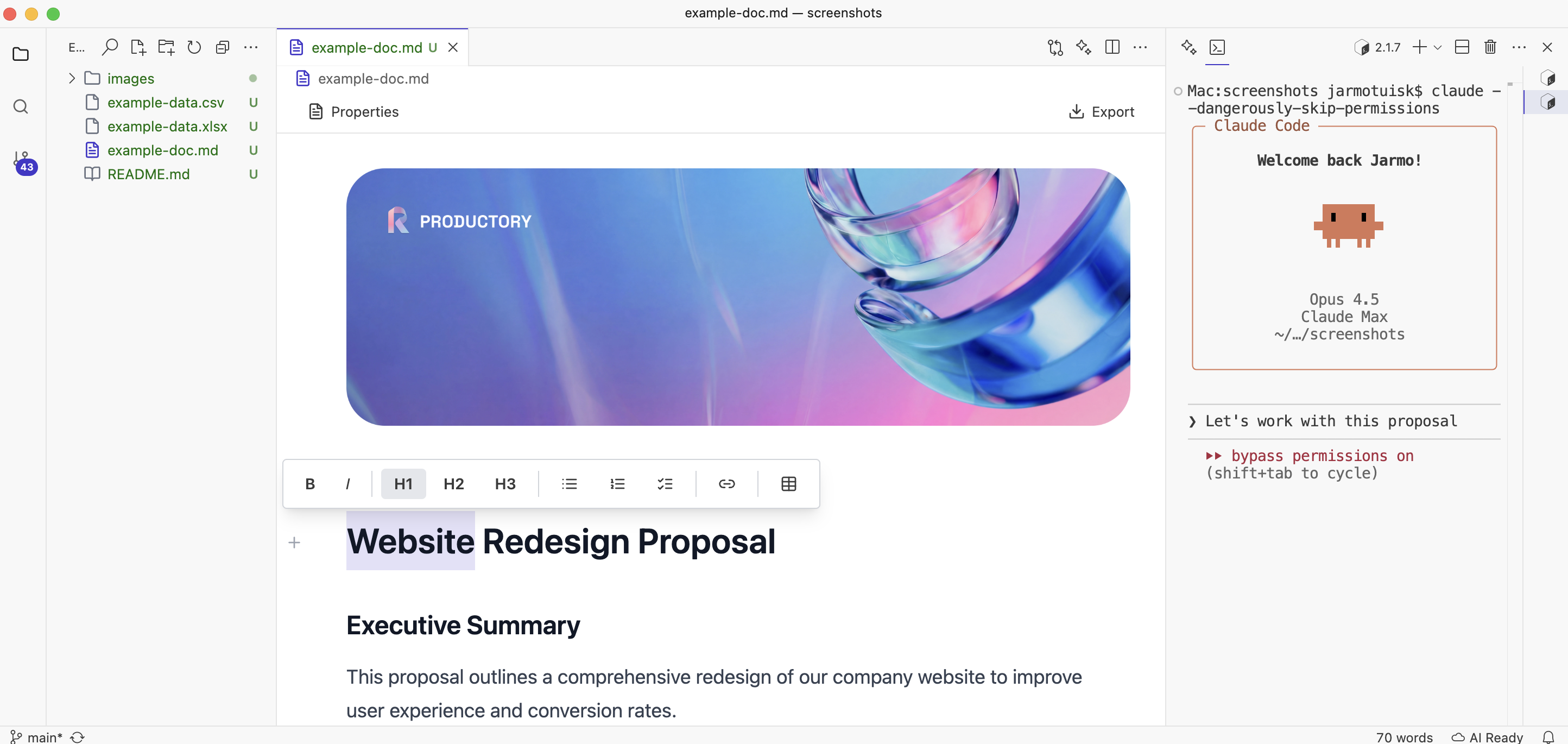
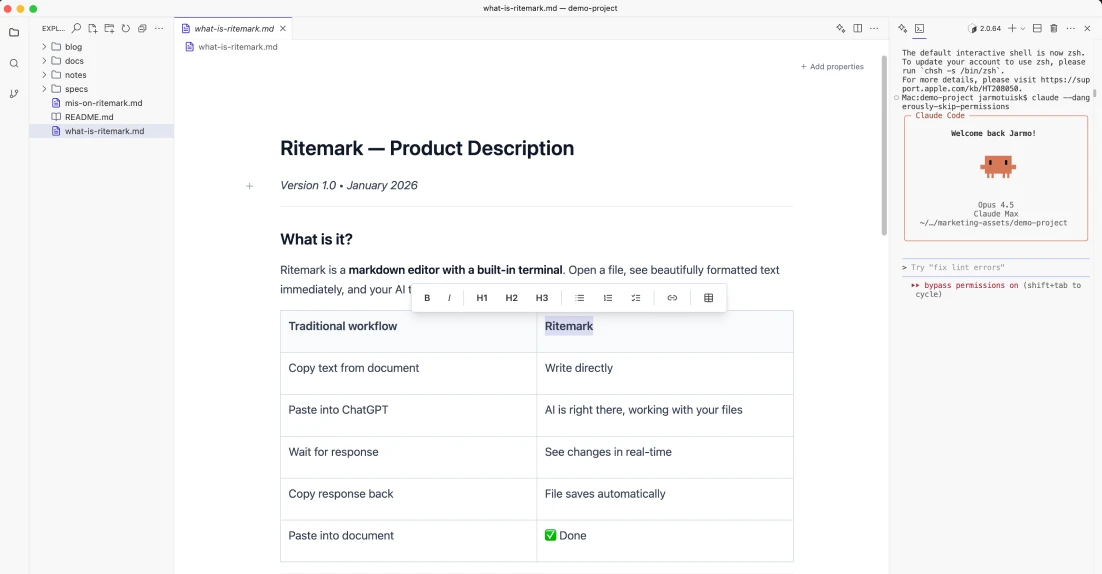
Ritemark is a native macOS markdown editor with a built-in terminal for AI agents. It lets you write documents while running AI commands like Claude Code, Gemini CLI, or OpenAI Codex—without switching apps or copy-pasting. Files stay local on your machine.
Is Ritemark free?
Yes, Ritemark is completely free to download and use. No subscription, no account required, no hidden fees. Download the DMG from GitHub and start writing immediately.
Which AI tools does Ritemark support?
Ritemark works with any CLI-based AI tool. Popular options include Claude Code (Anthropic), Gemini CLI (Google), OpenAI Codex, and Simon Willison's llm tool. The built-in terminal runs any command your regular terminal can run.
How is Ritemark different from Obsidian?
Ritemark has a built-in terminal that lets you run AI commands while writing—Obsidian requires third-party plugins and copy-pasting between apps. Obsidian excels at knowledge management with bidirectional links; Ritemark is purpose-built for AI-assisted writing workflows.
How is Ritemark different from VS Code?
VS Code is a code editor with markdown support through extensions. Ritemark is a writing-focused app with a visual WYSIWYG editor—you see formatted text, not markdown syntax. Both have integrated terminals, but Ritemark is optimized for writing text, not coding.
How does Ritemark work with Claude Code?
Ritemark and Claude Code are perfect partners. Run Claude Code in Ritemark's built-in terminal, and it gets direct access to your documents—reading, editing, and saving files without copy-paste. Same powerful workflow developers love, now for writing text.
Does Ritemark work on Windows?
Currently, Ritemark is macOS-only and optimized for Apple Silicon (M1/M2/M3/M4). Windows support is on the roadmap but not yet available. The app is built as a native macOS application for best performance.
Is Ritemark safe and private?
Yes. Ritemark is signed and notarized by Apple. Your files are plain markdown stored locally—nothing is sent to any server. The app works completely offline. When you use AI tools, those connect to their own APIs (Claude, Gemini, etc.), but Ritemark itself has no cloud component.
What file formats does Ritemark support?
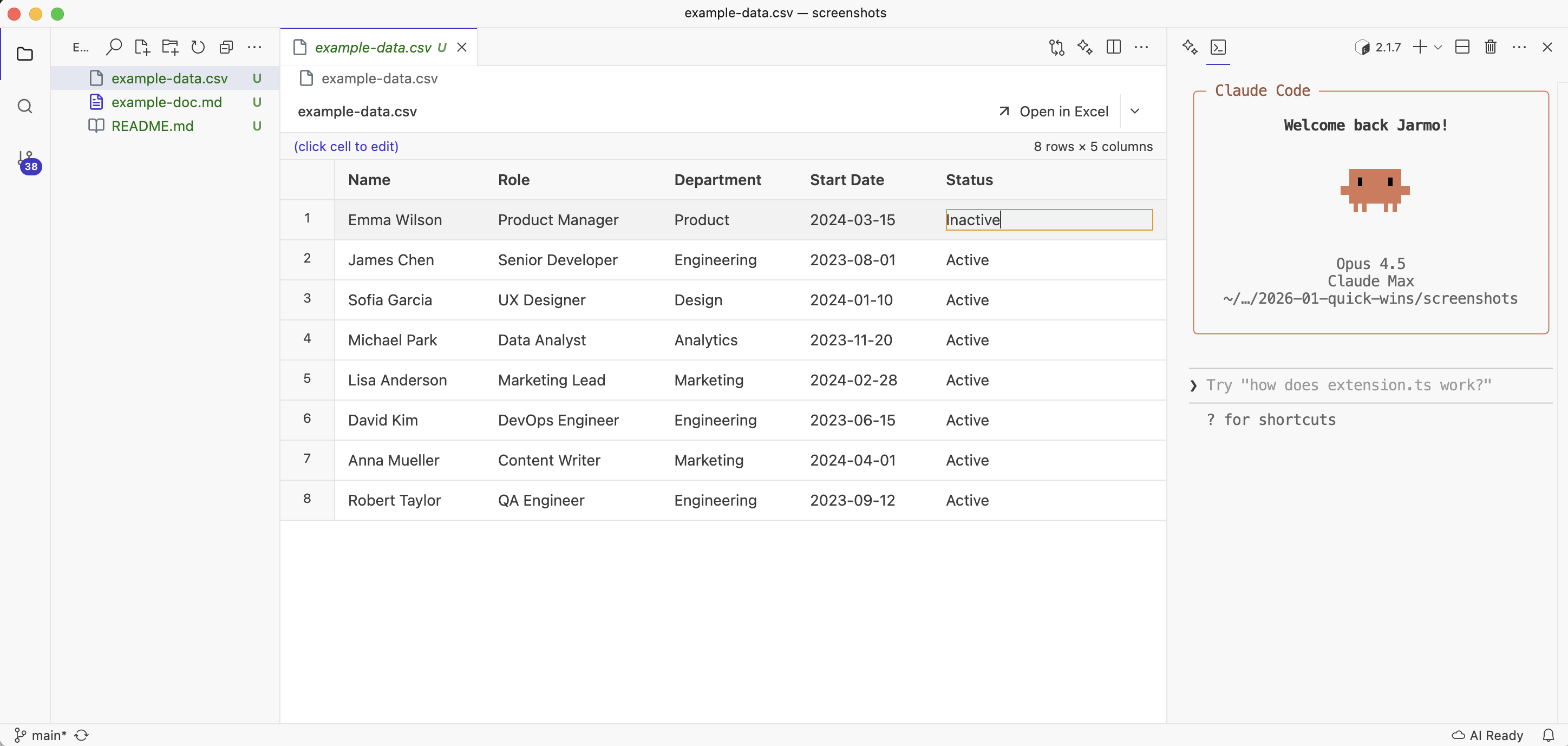
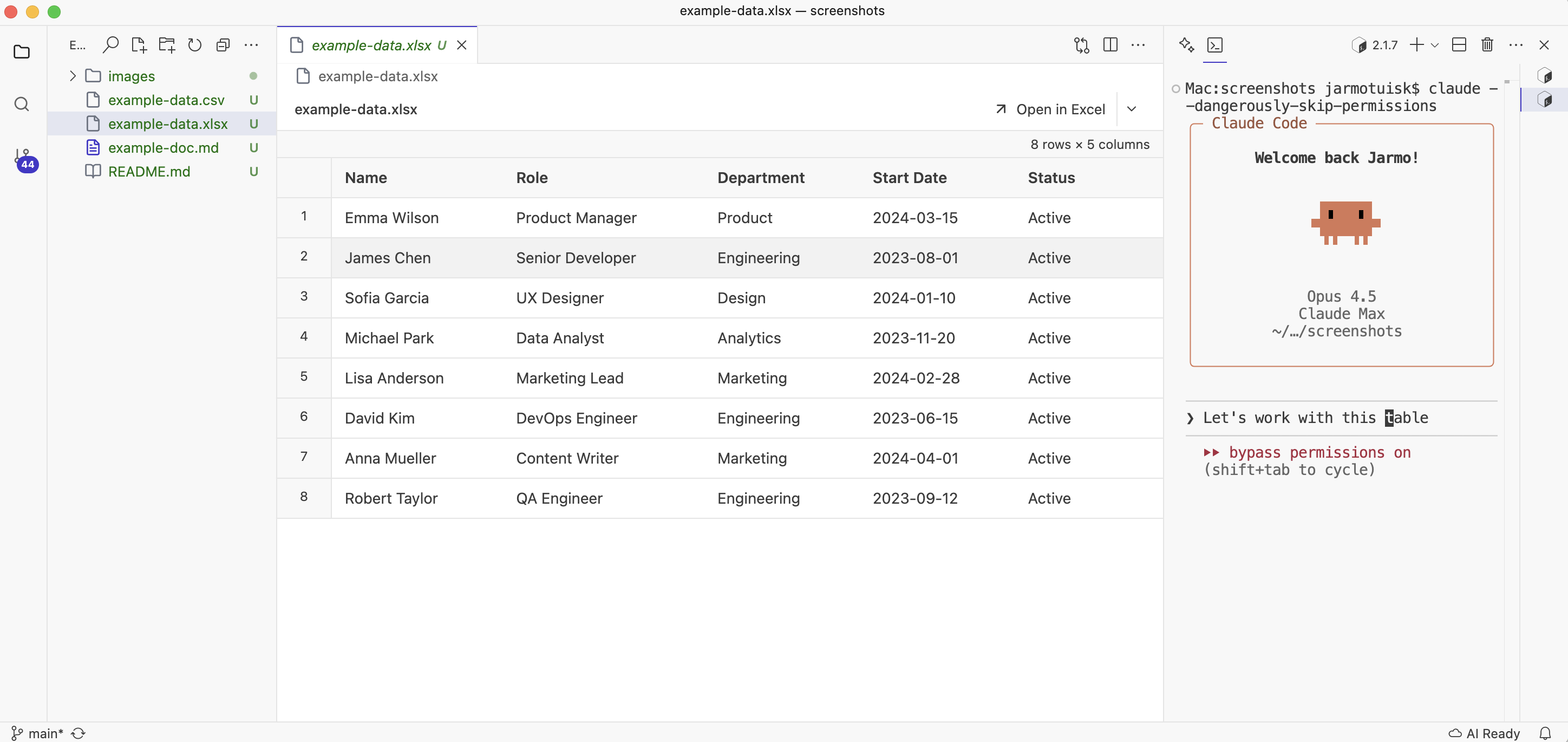
Ritemark edits Markdown (.md) files with a visual WYSIWYG editor. It also previews CSV and Excel files—you can open them in Numbers or Excel with one click. All files are stored in their original format, no proprietary lock-in.
Do I need technical skills to use Ritemark?
No coding required for basic writing. The visual editor works like Word or Google Docs. If you want to use AI agents, you'll run simple commands in the built-in terminal—we provide copy-paste instructions for Claude Code, Gemini CLI, and other tools.
Who built Ritemark?
Ritemark is built by Productory, Estonia's leading AI training company. Founder Jarmo Tuisk created it after using Claude Code daily for development—he wanted the same workflow for writing text. Over 9,000 professionals have trained with Productory.
How AI actually helps you
The usual way
- 1Open document
- 2Copy text
- 3Paste to ChatGPT
- 4Wait for response
- 5Copy response
- 6Paste back and reformat
6 steps. Constant copying. Context lost.
RiteMark + AI agent
- 1Open file in RiteMark
- 2Agent edits file directly
2 steps. Agent sees your file. Edits in place.
Your files. Your AI. Your computer.
AI reads and edits directly
Terminal built into the app. AI sees your file, makes changes, saves. You review.
See text, not code
Visual editor shows the final result. Markdown syntax hidden, formatted text visible.
Everything stays local
No cloud. No account. Files are plain text on your hard drive. Works offline.
Free and simple
Download, open, write. No signup. No subscription.
Data File Preview
Preview CSV and Excel files right inside RiteMark. One click opens the file in Excel or Numbers. Edit in Excel, click refresh to see updates instantly. Your AI agent can work with CSV files directly.
What you can do

Documentation
Specs, guides, README files. AI agent adds sections and restructures content.

Reports
Compile data, write analysis. AI agent reads your notes and generates formatted report.

Blog posts
Write, edit, translate. AI agent drafts content directly in your file.
Terminal AI agents, but for writing
Claude Code, Codex, Gemini CLI, Aider—not for code, but for text.
Professionals who write a lot
Consultants, trainers, product managers, bloggers
AI terminal users
Same workflow you know from coding, now for writing
Markdown enthusiasts
Visual desktop app with AI superpowers
Privacy-first writers
No cloud lock-in, files stay on your machine
A tool by Estonia's AI trainers

Jarmo Tuisk
Founder & builder
I worked with Claude Code every day. I wanted the same experience for writing text. That's how Ritemark was born.
Learn more about meLatest articles
Tips, tricks, and thoughts on writing and AI.