The Copy-Paste Era Is Over
Let's be honest about how we use AI for writing in 2025.
You have an idea. You open your document. You write a paragraph. It's not quite right. So you select it, copy it, switch to ChatGPT, paste it, type a prompt, wait for the response, read it, copy the good parts, switch back to your document, paste, and then spend five minutes reformatting because the styles didn't transfer.
Repeat this twelve times per document.
Sound familiar?
You're not alone. According to recent data, 40% of all work-related AI usage is for writing—making it the single most common use case. Nearly 800 million people now use ChatGPT weekly. And almost all of them are doing the same copy-paste dance you are.
The AI is smart. The workflow is not.
The Numbers Don't Lie
Here's what the research tells us about how we work today:
We Switch Apps Constantly
A Harvard Business Review study found that the average knowledge worker toggles between applications 1,200 times per day. That's not a typo. Twelve hundred times.
More recent surveys show workers switch between tabs, apps, or platforms 33 times per day on average—with 17% switching more than 100 times.
Every Switch Costs You
Here's the painful part: the University of California, Irvine found that it takes an average of 23 minutes and 15 seconds to fully regain focus after a significant interruption.
That means every time you switch from your document to ChatGPT and back, you're not just losing the 30 seconds of switching. You're potentially losing your train of thought entirely.
The Real Productivity Tax
Studies show that chronic context switching can consume up to 40% of a person's productive time.
Think about that. If you write for four hours a day, you might be losing over 90 minutes to the mental overhead of switching between tools.
A survey by Lokalise found that:
- 45% of workers say toggling between apps makes them less productive
- 43% report it's mentally exhausting
- 22% lose 2+ hours per week just to "tool fatigue"
That adds up to over 100 hours per year—or 2.5 full work weeks—wasted on switching between tools.
The Irony of AI Writing Tools
Here's what's strange: AI is supposed to make us more productive. And the research says it does—dramatically.
A peer-reviewed study published in Science (conducted by MIT researchers) gave 453 professionals writing tasks with and without ChatGPT access. The results:
- Writing time decreased by 40%
- Output quality increased by 18%
- The gap between experienced and inexperienced writers narrowed
Nielsen Norman Group found that business professionals using AI wrote 59% more documents per hour.
HubSpot reports that marketers using AI save about 2.5 hours per day on routine tasks.
So if AI makes writing faster and better, why does using it still feel so... clunky?
Because the AI isn't the bottleneck. The workflow is.
What "Context Fragmentation" Really Means
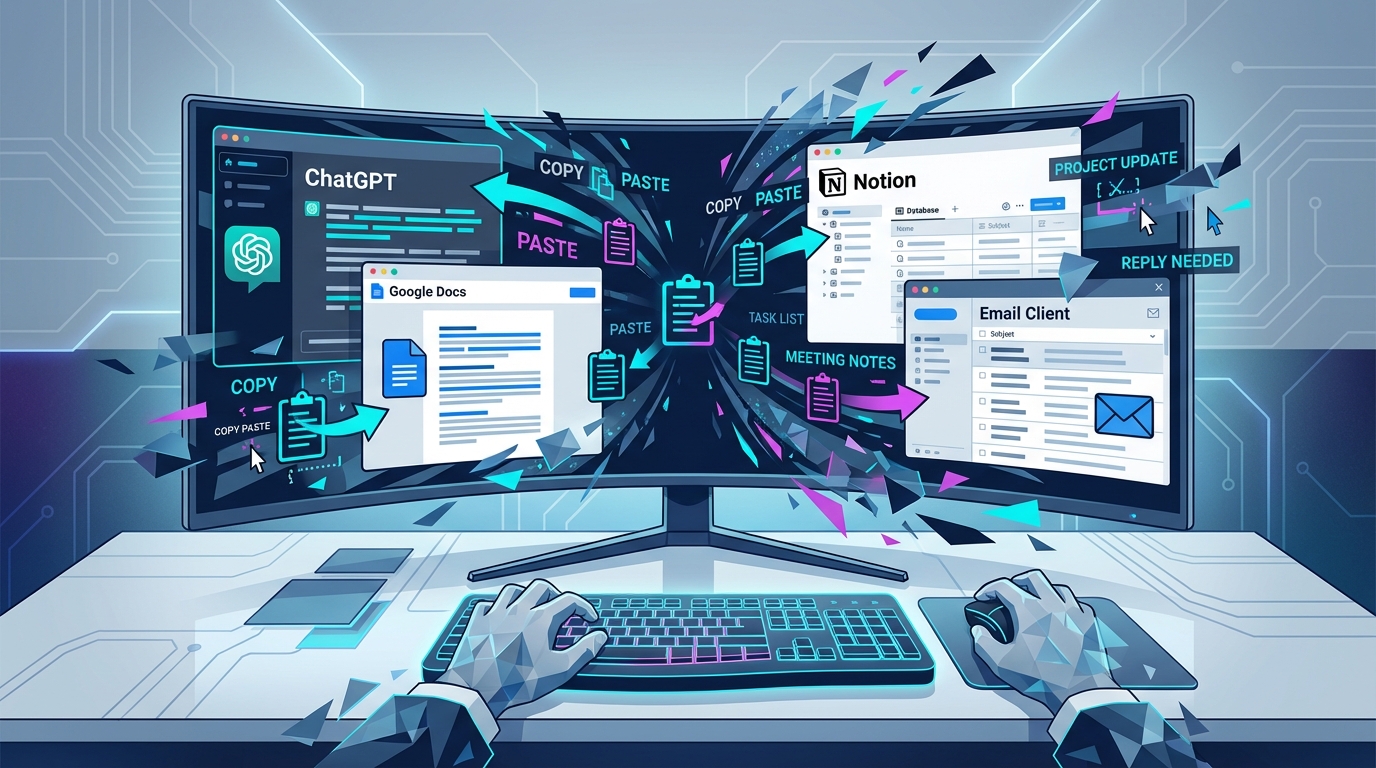 The modern AI writing workflow: copy, paste, switch, repeat.
There's a term gaining traction in productivity circles: context fragmentation.
It describes what happens when your work is scattered across multiple tools, and your AI assistant can only see tiny pieces of it at a time.
Here's what that looks like in practice:
- Your document lives in Google Docs
- Your AI assistant lives in ChatGPT
- Your notes live in Notion
- Your research lives in browser tabs
- Your previous drafts live in email threads
When you ask AI for help, it can only see what you copy-paste into it. It doesn't know the context. It doesn't know your voice. It doesn't know what you wrote yesterday or what you're planning for tomorrow.
So you end up manually assembling context every single time:
"Here's my document so far [paste]. And here's the style I'm going for [paste]. And here's some research I found [paste]. Now help me write the next section."
This isn't AI augmenting your intelligence. This is you becoming a copy-paste machine so the AI can function.
The Privacy Elephant in the Room
There's another problem nobody talks about enough: where does all this copied text go?
When you paste your writing into a cloud-based AI tool, you're sending it to someone else's servers. That text might be:
- Stored in logs
- Used to train future AI models
- Exposed in potential data breaches
Security researchers recently found a Chinese AI startup's database exposed on the public internet with no authentication—user chat histories, API keys, and sensitive information accessible to anyone.
For many writers—journalists working on sensitive stories, lawyers reviewing confidential documents, business professionals drafting competitive strategies—this isn't just a privacy preference. It's a professional requirement.
💡 The GDPR/HIPAA question: If you're in a regulated industry, copying client data into cloud AI tools might already be a compliance violation you're not thinking about.
What Would "Fixed" Look Like?
Let's imagine a different workflow. What if:
- The AI lived inside your writing tool, not beside it
- It could see your entire document, always, automatically
- Your files stayed on your computer, never touching a cloud server
- There was no copy-paste, no tab switching, no context assembly
- You just... wrote, and asked for help when you needed it
This isn't science fiction. This is what we built with Ritemark.
How Ritemark Changes the Equation
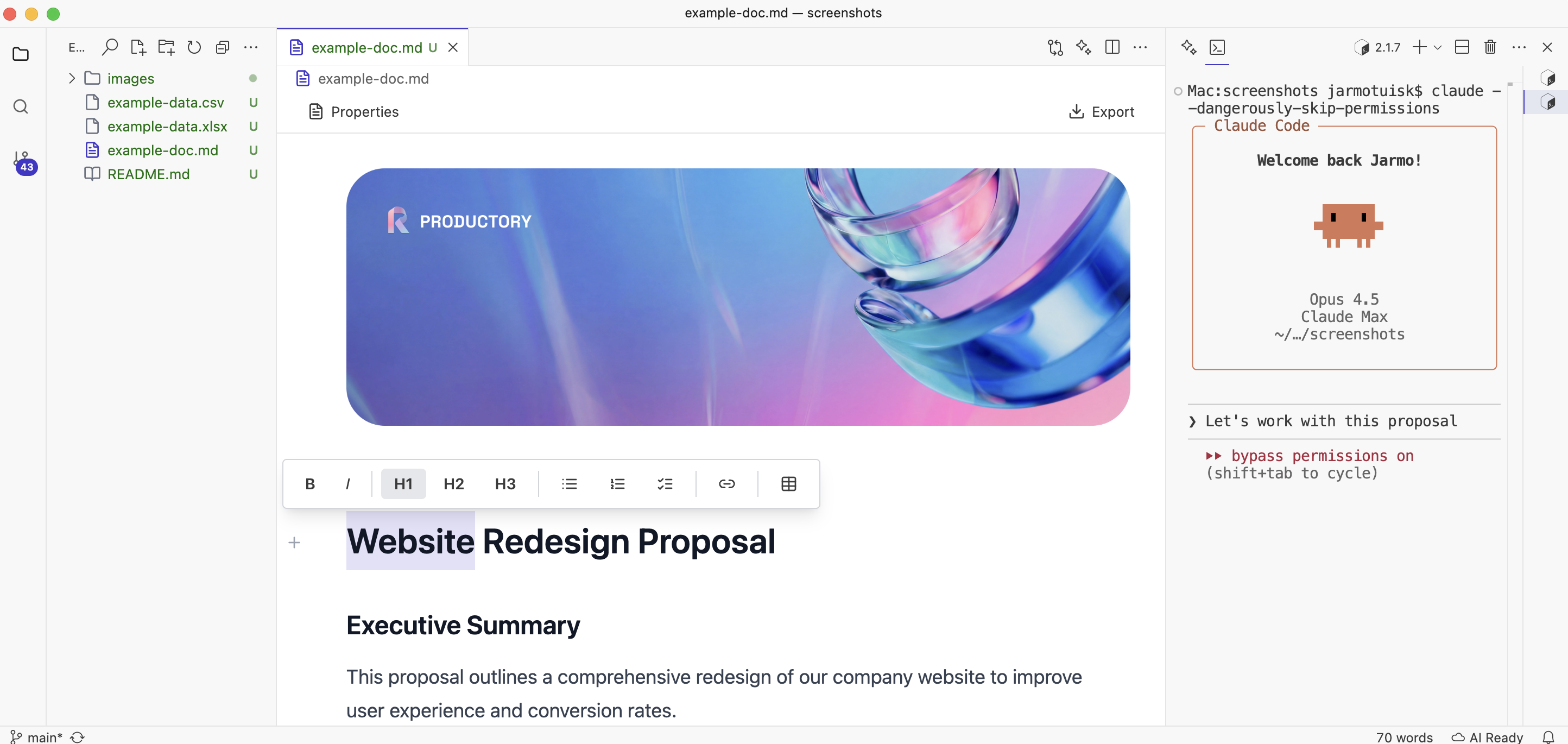 Everything in one place: your document, your AI assistant, no switching required.
Ritemark is a markdown editor with AI built directly into the writing experience. Not AI added on top. Not AI in a sidebar. AI that's part of how you write.
No More Copy-Paste
Press Cmd+K anywhere in your document. The AI sees what you're working on. Ask it to:
- Rewrite this paragraph more concisely
- Expand this bullet point into a full section
- Fix grammar and tone issues
- Translate to another language
The changes happen right where you're writing. No switching, no pasting, no reformatting.
Your Files, Your Computer
Ritemark works with local files. Your documents are markdown files on your machine—sync them with Dropbox, iCloud, or Git. Your choice.
When you use AI features, only the text you specifically ask about gets sent for processing. And you can see exactly what's being sent before it goes anywhere.
Real Privacy, Not Marketing Privacy
We're not saying "we don't sell your data" while still logging everything on our servers.
Your files literally never touch our servers. We don't have servers. The AI runs through your own API key directly to Anthropic (Claude) or OpenAI—no middleman, no logs, no training data contribution.
For writers working with sensitive material, this isn't a feature. It's a requirement.
Who Is This Actually For?
If you write anything meaningful—not just quick messages, but actual content that matters—you've probably felt the friction we're describing.
Bloggers and Content Creators
You're producing multiple pieces per week. Every minute spent copy-pasting between tools is a minute not spent writing. Studies show AI can reduce draft creation time by 80%—but only if the workflow doesn't eat those gains.
Business Professionals
Reports, proposals, presentations. You're writing constantly, but it's not your core job—it's overhead. 68% of business professionals already use AI for this. The question is whether you're getting the full benefit or fighting with copy-paste.
Developers Who Write
Documentation, READMEs, technical specs. You live in a text editor already. Ritemark even has a built-in terminal where you can run Claude Code directly—AI that edits your files while you watch.
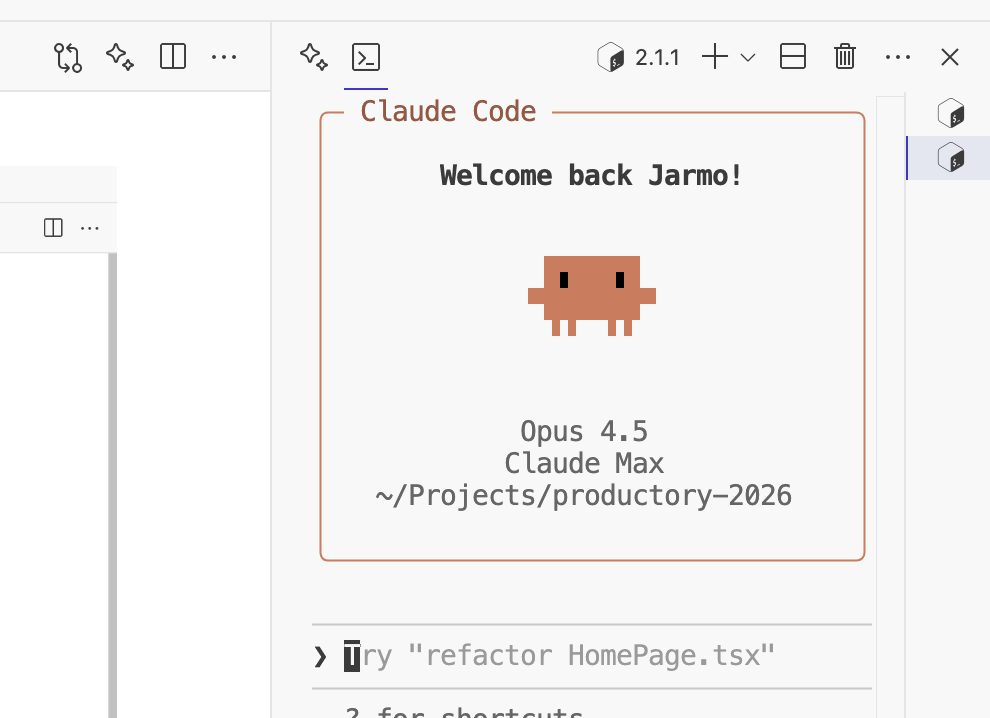 Run AI agents directly in your writing environment.
Researchers and Students
Long-form writing with lots of revision. Papers that evolve over months. The MIT study found that less-experienced writers benefit the most from AI assistance—but only if they can actually use it without friction.
The Cost Question
Ritemark itself is free. Download it, use it forever.
AI features use your own API key. You pay Anthropic or OpenAI directly—usually a few cents per writing session. No subscription, no markup.
Most writers we've talked to spend $3-8 per month. Some spend nothing, using Ritemark as a beautiful markdown editor without touching the AI features.
Compare that to subscription AI tools at $20-30/month that still make you copy-paste.
The Workflow That Should Have Existed from the Start
We didn't build Ritemark because we wanted to make another AI product.
At Productory, we train thousands of people to use AI effectively. And the question we hear most isn't "how does AI work?"—it's "why is using AI so annoying?"
Copy. Paste. Switch. Wait. Copy. Paste. Reformat. Repeat.
That workflow made sense in 2023 when AI was new and we were figuring it out. It doesn't make sense anymore.
The future of AI writing isn't a smarter chatbot in a browser tab. It's AI that disappears into your tools—so seamlessly integrated that you stop thinking about "using AI" and just think about writing.
That's what we built.
Ready to Stop Copy-Pasting?
Download Ritemark and see what writing feels like when the AI actually helps instead of interrupts.
Download for macOS — it's free.
Questions? Thoughts? Reach us at feedback@productory.ai