
Voice Dictation That Never Leaves Your Machine
You're writing something private. A journal entry. Client notes. A sensitive draft that nobody else should see. You want to dictate it — speaking is faster than typing — but every dictation tool you know sends your audio to a server somewhere.
Your raw voice, every word, every pause, passing through someone else's infrastructure.
That never sat right with us. So we fixed it.
The Privacy Problem Nobody Talks About
Here's what most people don't realize: when you use cloud-based dictation, your audio becomes data on someone else's server. And that data is vulnerable.
A 2019 incident left tens of thousands of patient dictations publicly accessible on an open Amazon S3 bucket — complete with medical histories and biometric voice prints. IBM's 2026 Cost of a Data Breach report pegs the global average breach cost at $4.44 million.
Under GDPR, audio recordings of humans speaking are classified as personal and sensitive data. Yet most speech-to-text systems default to cloud storage for model training, meaning your raw audio ends up in repositories that attackers actively target.
The voice recognition market is expected to reach $7 billion by 2026 — and approximately 42% of new deployments now process voice locally rather than in the cloud. The industry is waking up to the privacy problem. We decided not to wait.
RiteMark v1.0.3: Fully Local Speech-to-Text
RiteMark now includes voice dictation powered by whisper.cpp — a C/C++ port of OpenAI's Whisper model, compiled natively for Apple Silicon. Your voice gets transcribed right on your Mac. No cloud services. No API calls. No data leaving your computer.
Click the mic button in the toolbar. Start speaking. Your words appear in real-time.
That's it. No setup wizards, no account creation, no API keys to manage.
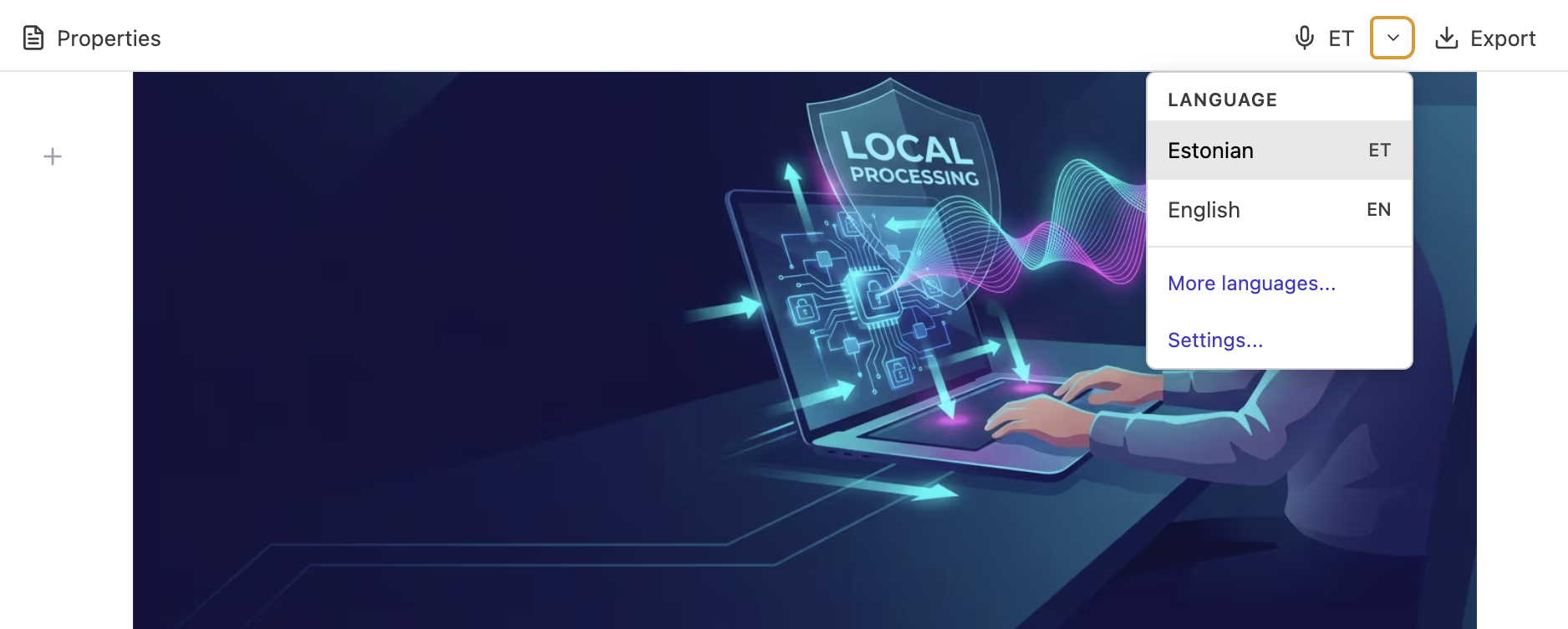
Your voice stays on your machine — processed locally by whisper.cpp on Apple Silicon.
💡 How it works under the hood: The first time you use voice dictation, RiteMark downloads a language model (~1.5GB). After that, everything runs offline. Your audio stays in memory, gets processed locally, and the text goes straight into your document.
Local Accuracy That Rivals the Cloud
You might wonder: does local processing sacrifice accuracy? The data says no.
According to benchmarks comparing Whisper locally vs. cloud APIs, the accuracy difference is less than 0.5%. In some tests, the local Whisper large-v3 model performed best among all tested models. The Whisper architecture has been validated by MLCommons, demonstrating the top accuracy among candidates and reducing word error rate by over 72% compared to previous benchmarks.
The trade-off isn't accuracy — it's simply that you need a one-time model download. After that, you get cloud-quality transcription with zero privacy compromise.
Estonian-First, 50+ Languages
RiteMark started as an Estonian writing tool, so Estonian language support was the priority. The Whisper model handles Estonian remarkably well for a model running entirely locally without internet.
Beyond Estonian, the same model supports over 50 languages. Switch between them as needed — the model handles multiple languages without downloading additional files.
Real-Time Streaming
Here's a detail that makes a big difference: text appears as you speak, not after you stop.
Many dictation tools wait for you to finish a sentence or pause, then dump a block of text all at once. RiteMark streams the transcription in real-time, so you see words appearing as you say them. It feels natural — more like typing than batch processing.
Why This Matters
Local processing changes the equation entirely:
Works offline. No internet? No problem. Dictate on a plane, in a cabin, anywhere with no connectivity.
No audio leaves your machine. Your voice data is processed in memory and never written to disk or transmitted anywhere.
No account required. No sign-up, no login, no terms of service for voice processing.
No usage limits. Dictate as much as you want. There's no API quota, no per-minute billing, no subscription tier to worry about.
This is privacy by design, not privacy by promise.
Also in This Release
Copy as Markdown
A new option in the Export menu: copy your document (or just a selection) as clean markdown text. Select some text first and it copies only the selection. With nothing selected, it copies the entire document.
Useful for pasting into GitHub, emails, or any tool that understands markdown formatting.
Properties Dialog Fix
Documents with many frontmatter properties (15+) no longer overflow the Properties dialog. The content scrolls properly within its boundaries now.
Getting Started
-
Download RiteMark v1.0.3 from the releases page
-
Open Settings and enable Voice Dictation (it's experimental, so opt-in for now)
-
Click the mic button in any markdown document
-
On first use, the Whisper model downloads (~244MB)
-
Start speaking
The feature is currently marked as experimental. We want your feedback before making it a default. If something doesn't work as expected, let us know.
What's Next
Voice dictation is the foundation for more local AI features in RiteMark. The same philosophy — powerful, private, no cloud required — will guide everything we build next.
Your words should stay yours. Now your voice does too.
Download RiteMark v1.0.3 — it's free.
FAQ
Does voice dictation need internet?
Only for the one-time model download. After that, everything runs locally — you can dictate completely offline.
Is my voice data sent anywhere?
No. All speech processing happens on your machine using the bundled Whisper model. No audio ever leaves your computer.
Which languages are supported?
50+ languages including Estonian, English, German, French, Spanish, Russian, and many more. Estonian is a first-class supported language.
How much disk space does the speech model need?
About 1.5GB in ~/.ritemark/models/. You can remove it anytime via Settings.
Can I use dictation and typing at the same time?
Yes. Dictated text is inserted at the cursor position. You can switch between typing and dictating freely.
How accurate is local dictation compared to cloud services?
Benchmarks show less than 0.5% accuracy difference between local Whisper and cloud APIs. You get near-identical quality without the privacy trade-off.
Does it work on Intel Macs?
Currently, voice dictation is optimized for Apple Silicon (M1/M2/M3/M4). Intel Mac support is not available at this time.